Build structure
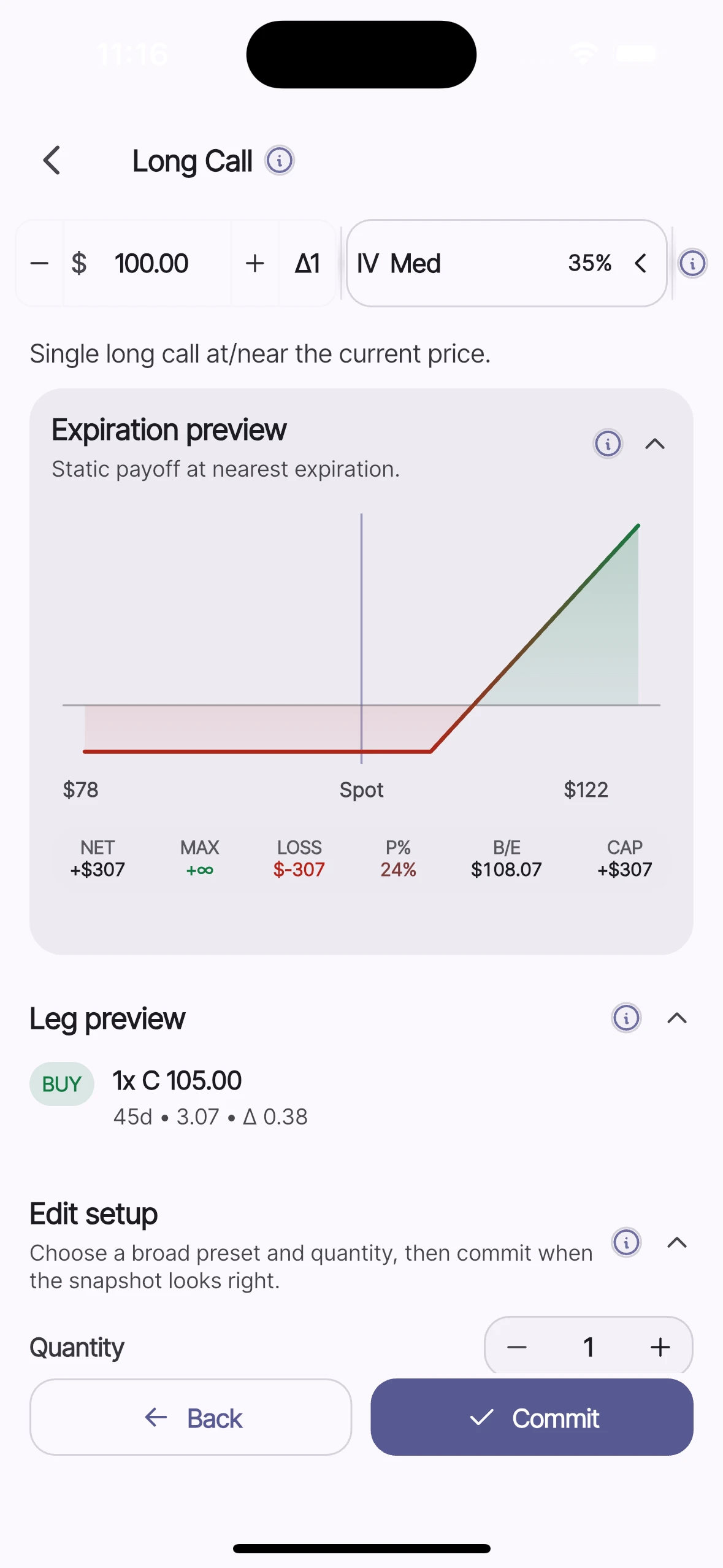
Keep legs, expirations, and position shape visible as assumptions change.

ThetaForge
Educational options modeling workspace
ThetaForge gives options learners and strategy builders a visual workspace for modeling structures, inspecting payoff behavior, reviewing exposures, and stress testing theoretical scenarios.
Educational analytics only. No investment advice.


Available from live store listings.
Preview workflow step
Select a step to preview. Select it again to open full walkthrough details.
Why ThetaForge
Contract rows can hide how legs, expirations, volatility assumptions, Greeks, and payoff behavior interact. ThetaForge turns those inputs into a visual modeling workspace so theoretical behavior can be inspected under user-controlled assumptions.
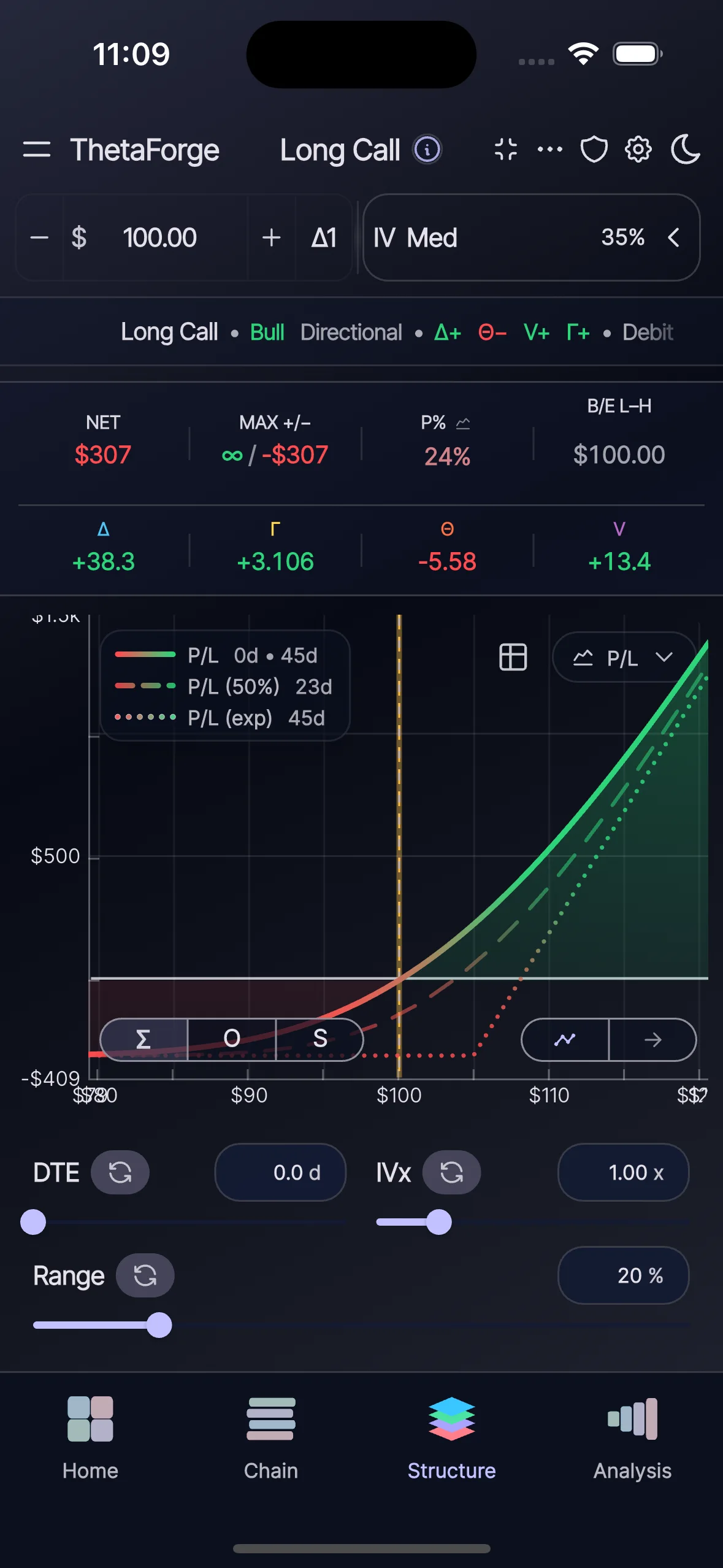
Keep legs, expirations, and position shape visible as assumptions change.
Review payoff behavior, Greeks, and scenario context from the same workspace.
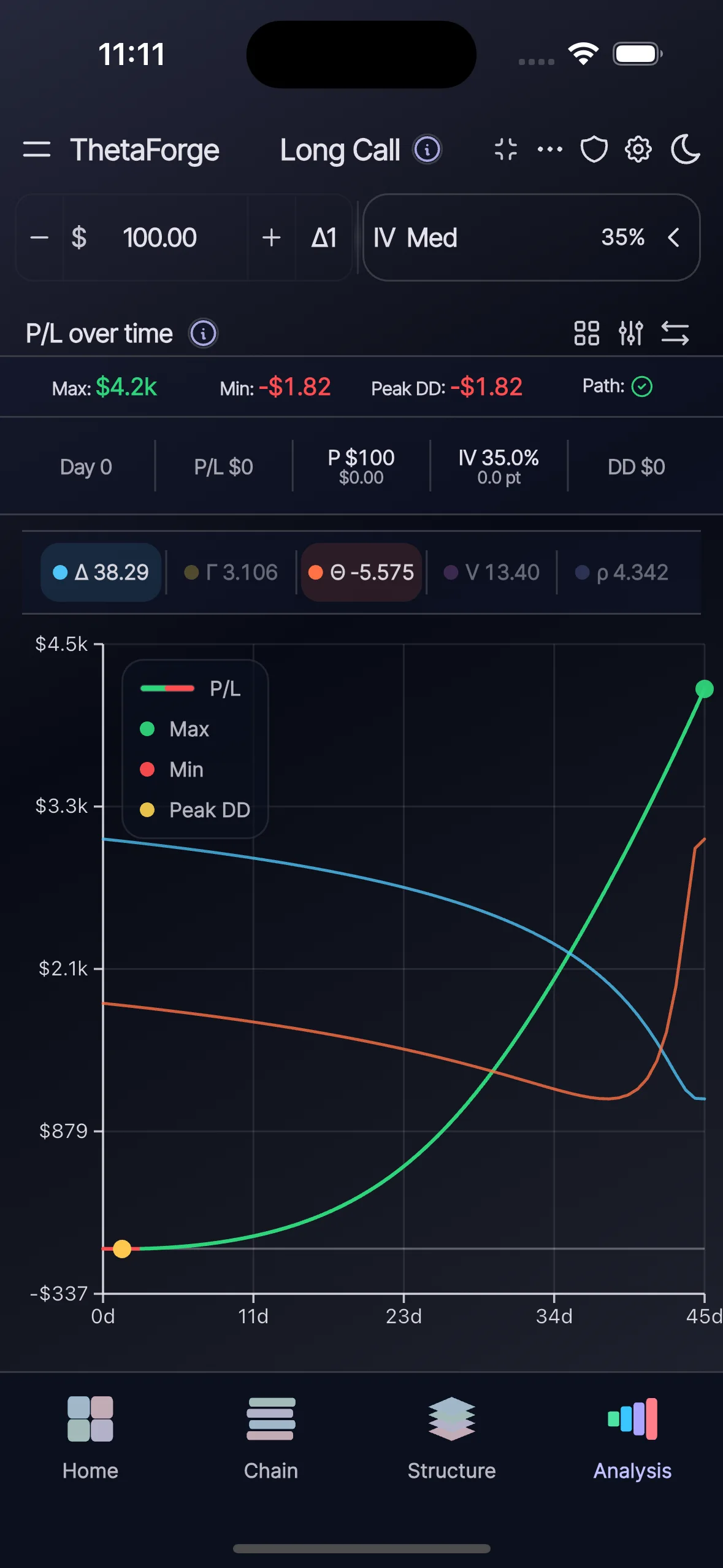
Stress test theoretical behavior under user-controlled price and volatility paths.
Modeling workflow
ThetaForge mirrors a practical learning flow: begin from known structures, refine through chain context, shape payoff behavior, then review modeled outcomes under user-controlled assumptions.
Home
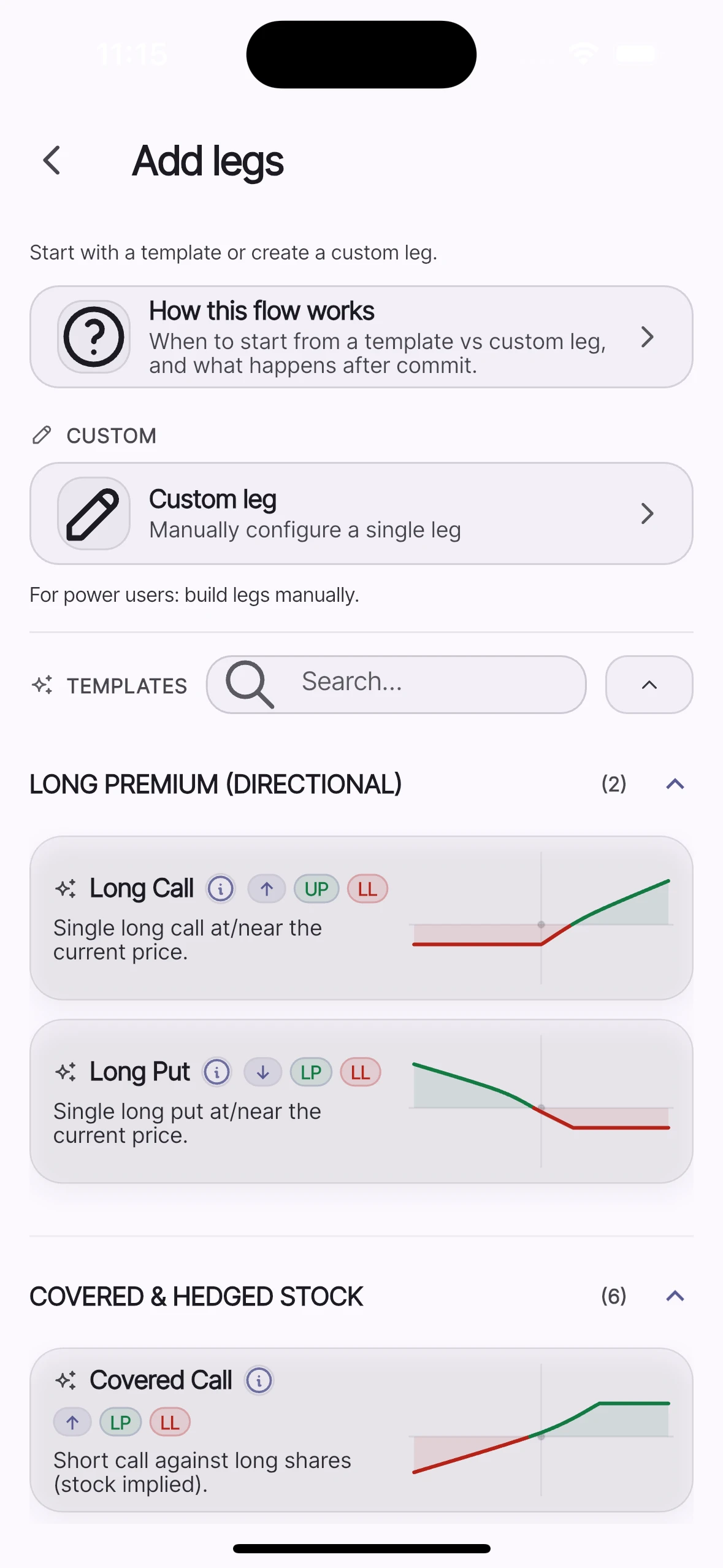
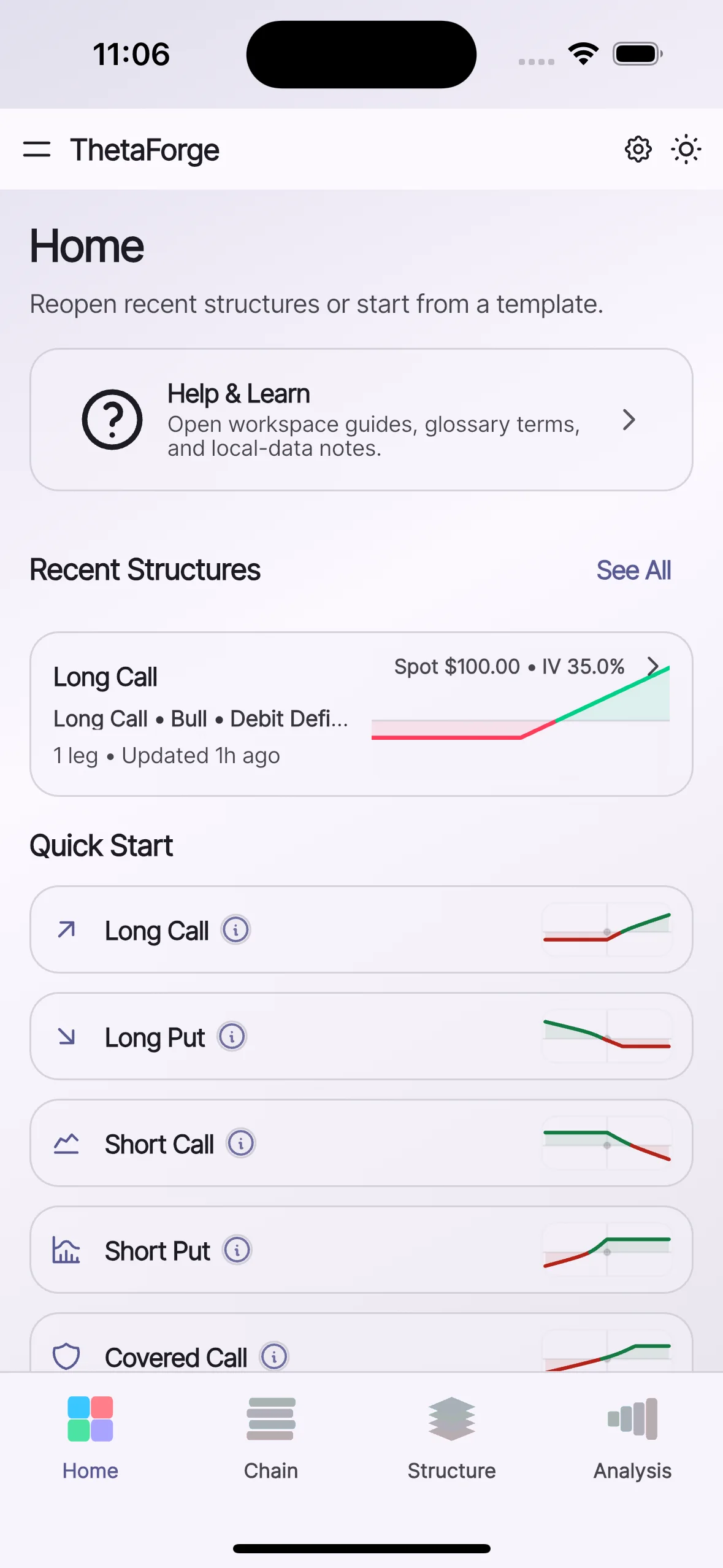
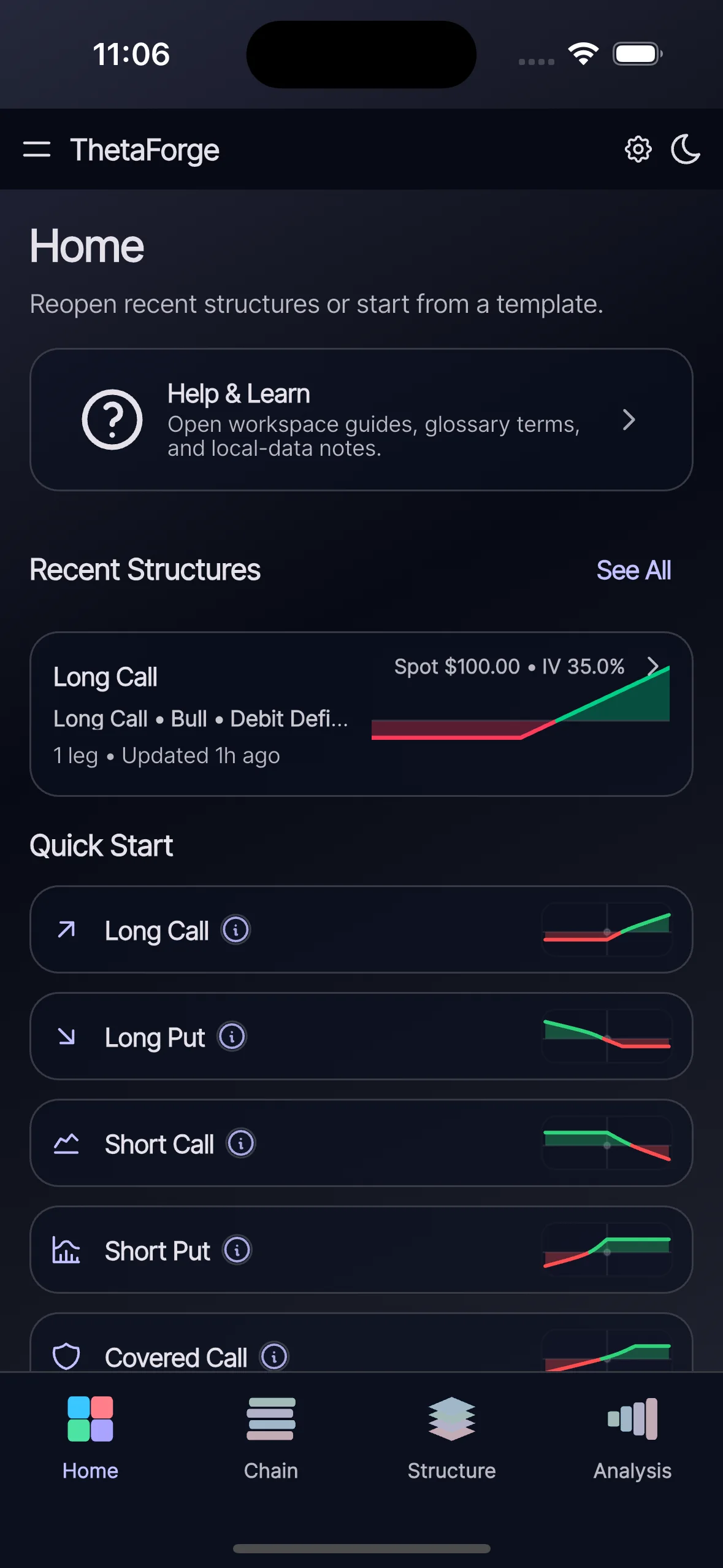
Reopen recent structures, browse quick-start patterns, and begin from a known shape before making changes.
Chain
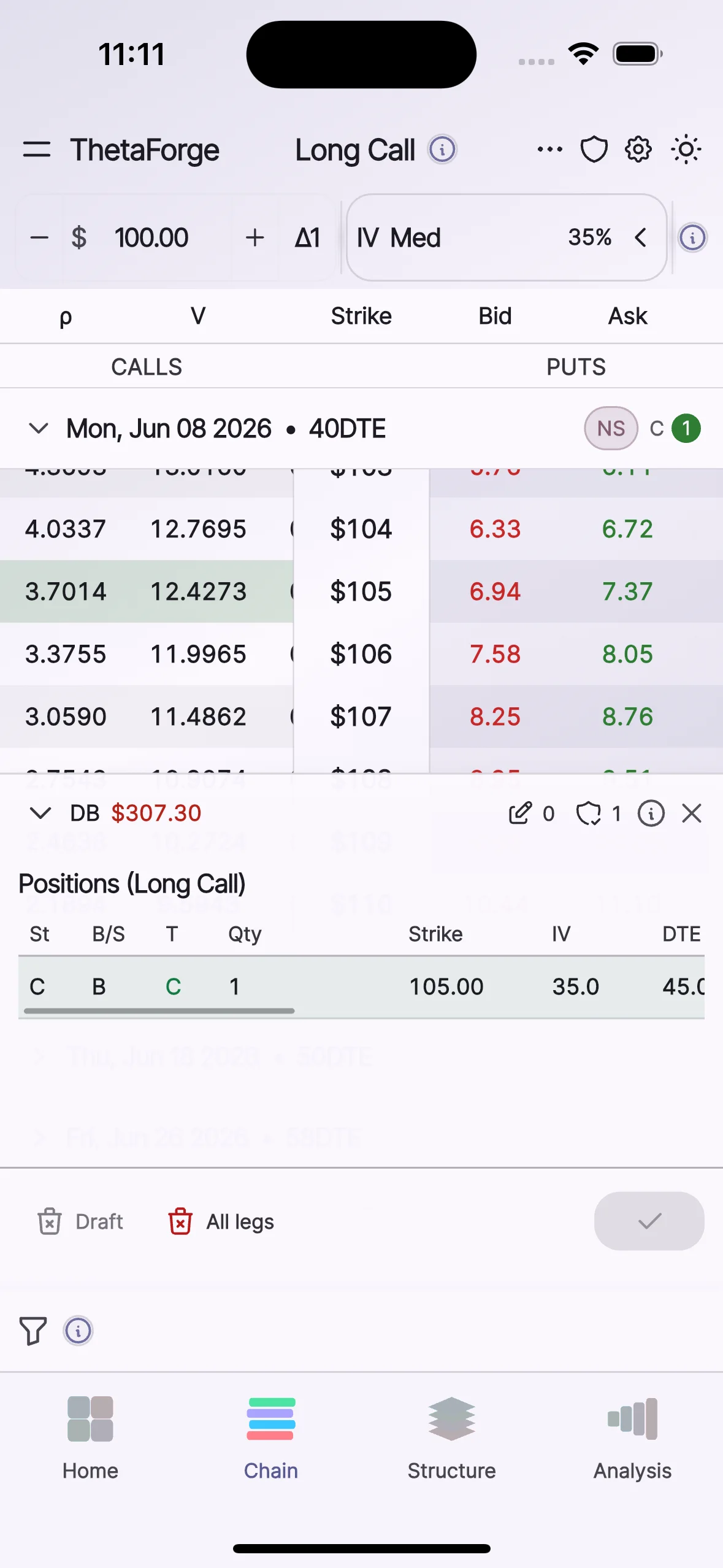
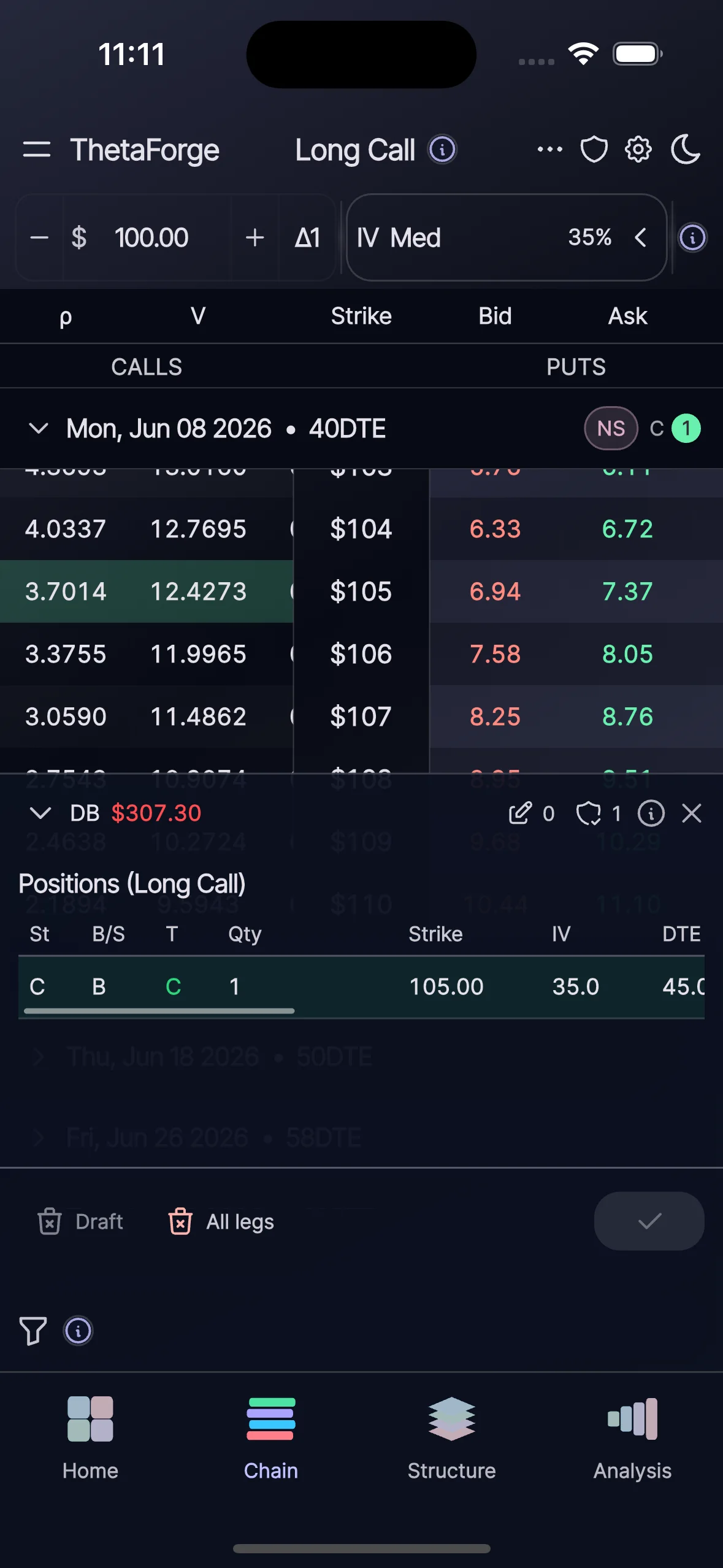
Inspect synthetic chain rows and stage contract assumptions to prepare legs before committing them to structure.
Structure
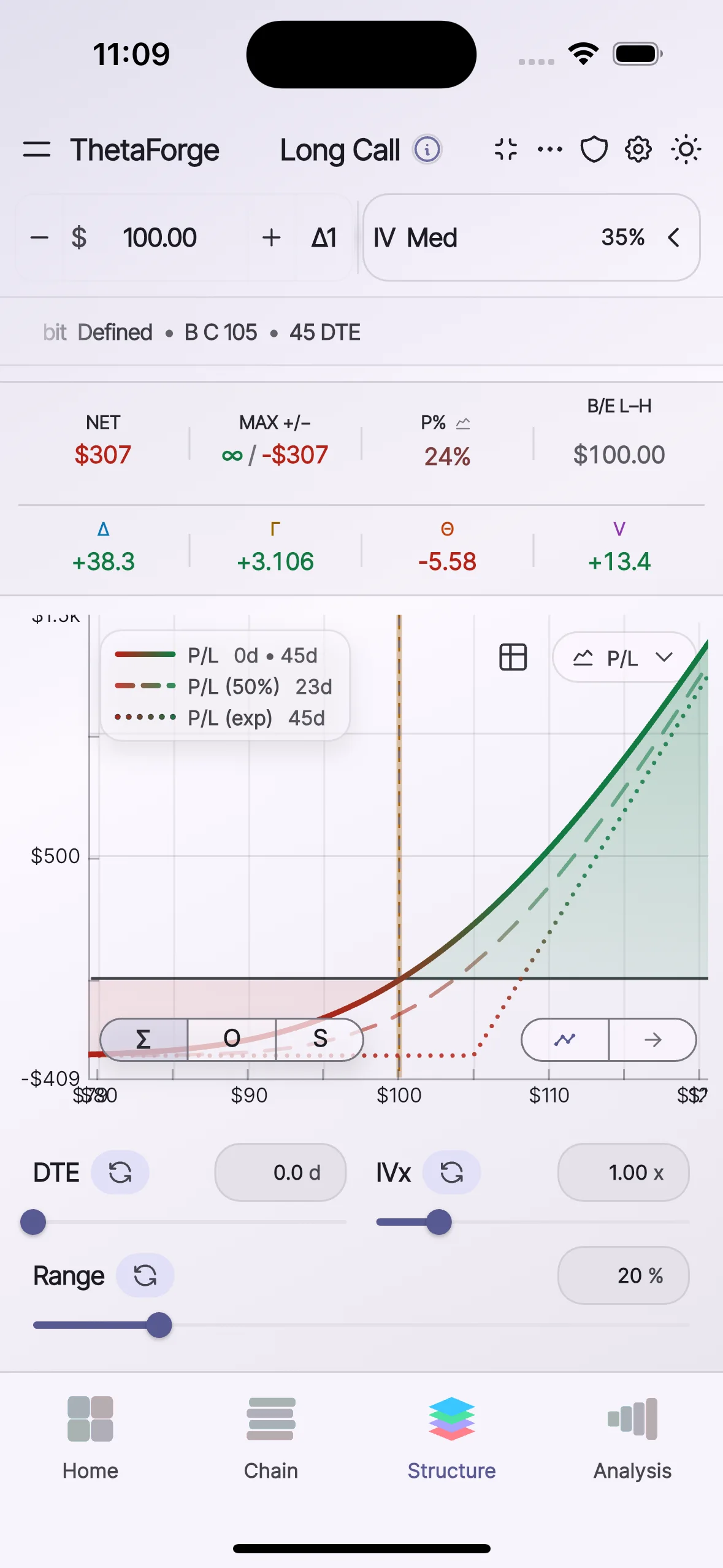
Edit legs and parameters while watching payoff and Greek context update in one continuous modeling workspace.
Analysis
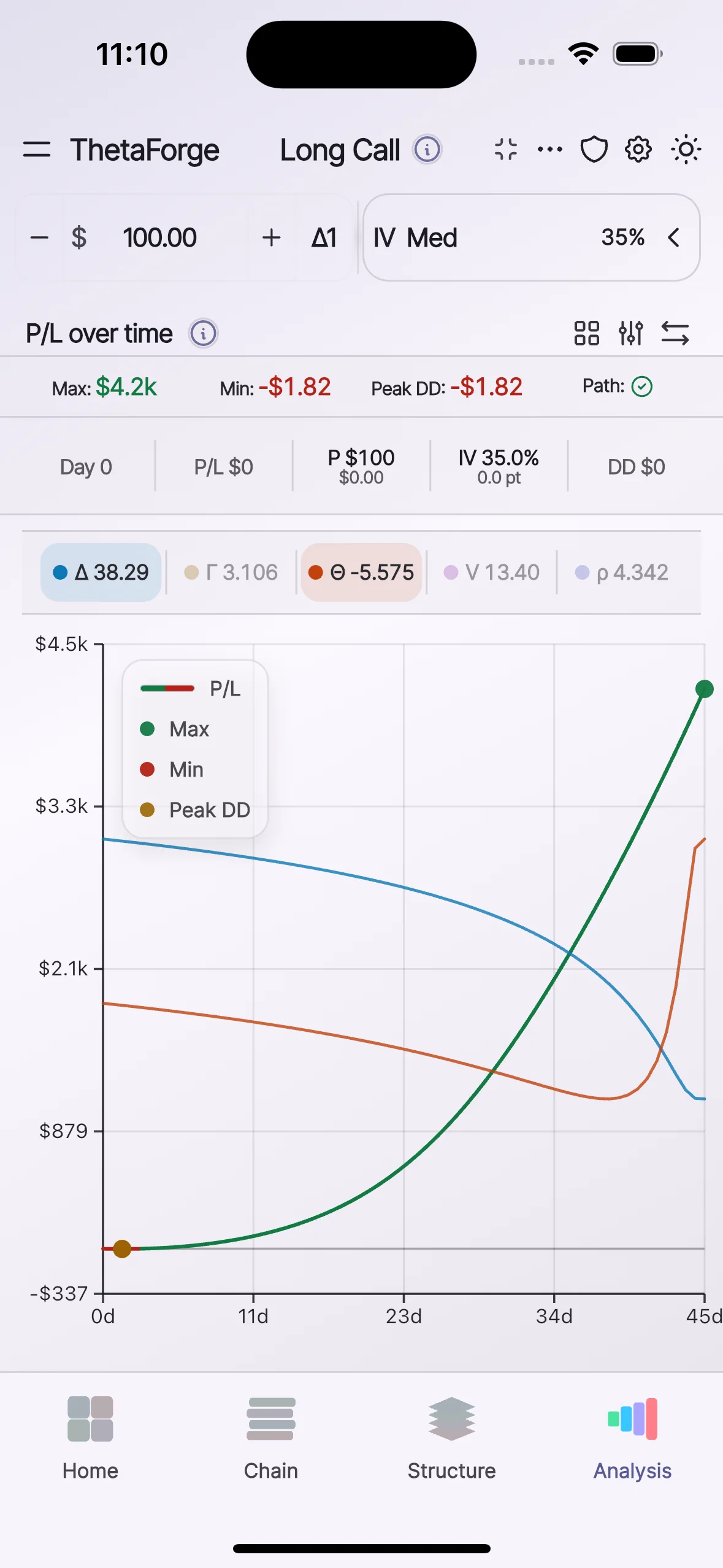
Compare price and volatility paths, inspect over-time projections, and review scenario matrices under user-controlled assumptions.
Product walkthrough
Scroll through each workspace to see how ThetaForge guides strategy modeling from setup through scenario evaluation.
Step 1
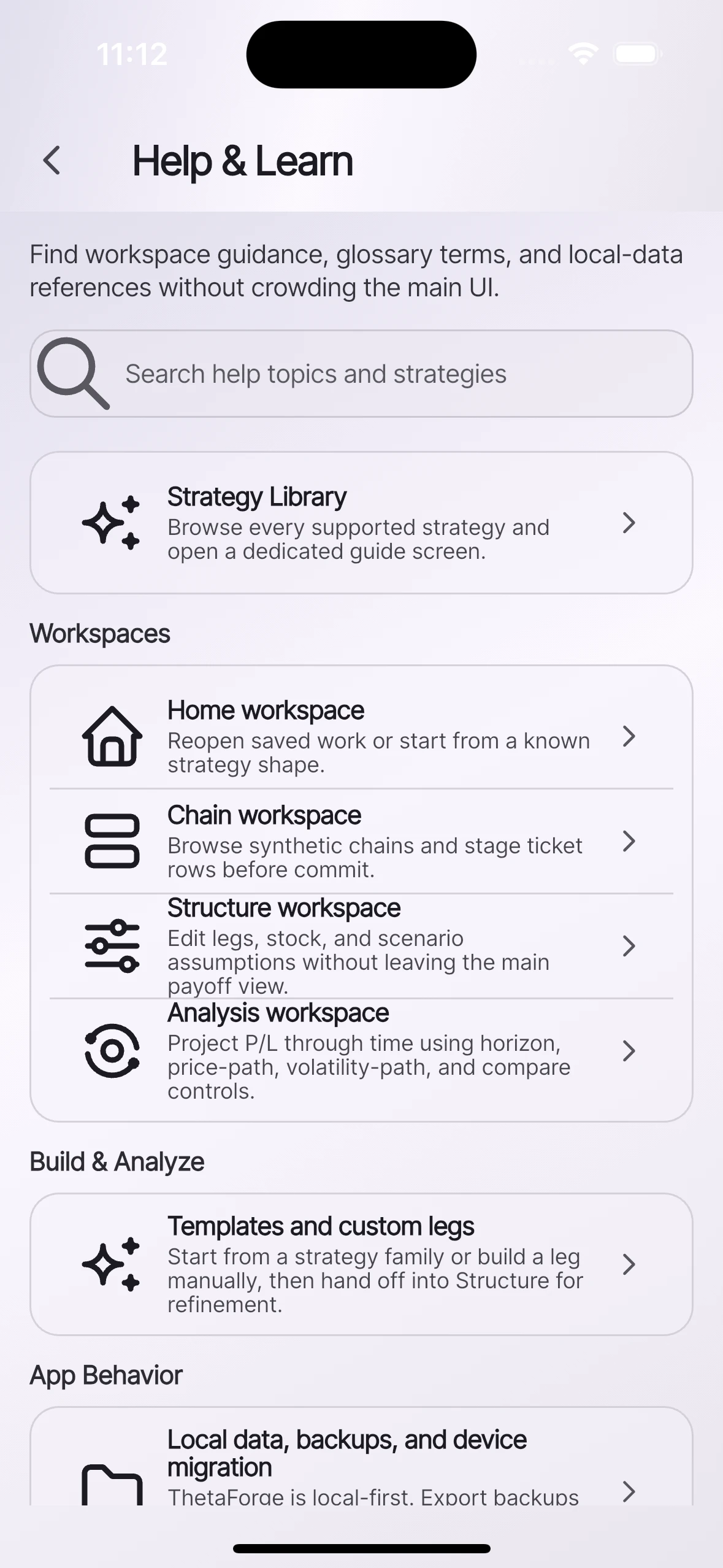
Reopen structures, jump into help and learn guides, and launch from quick-start strategy families.
Step 2
Stage contracts directly from the chain with strike, DTE, IV, and side-by-side call/put context.
Step 3
Adjust assumptions and inspect payoff and exposure context without leaving the main structure view.
Step 4
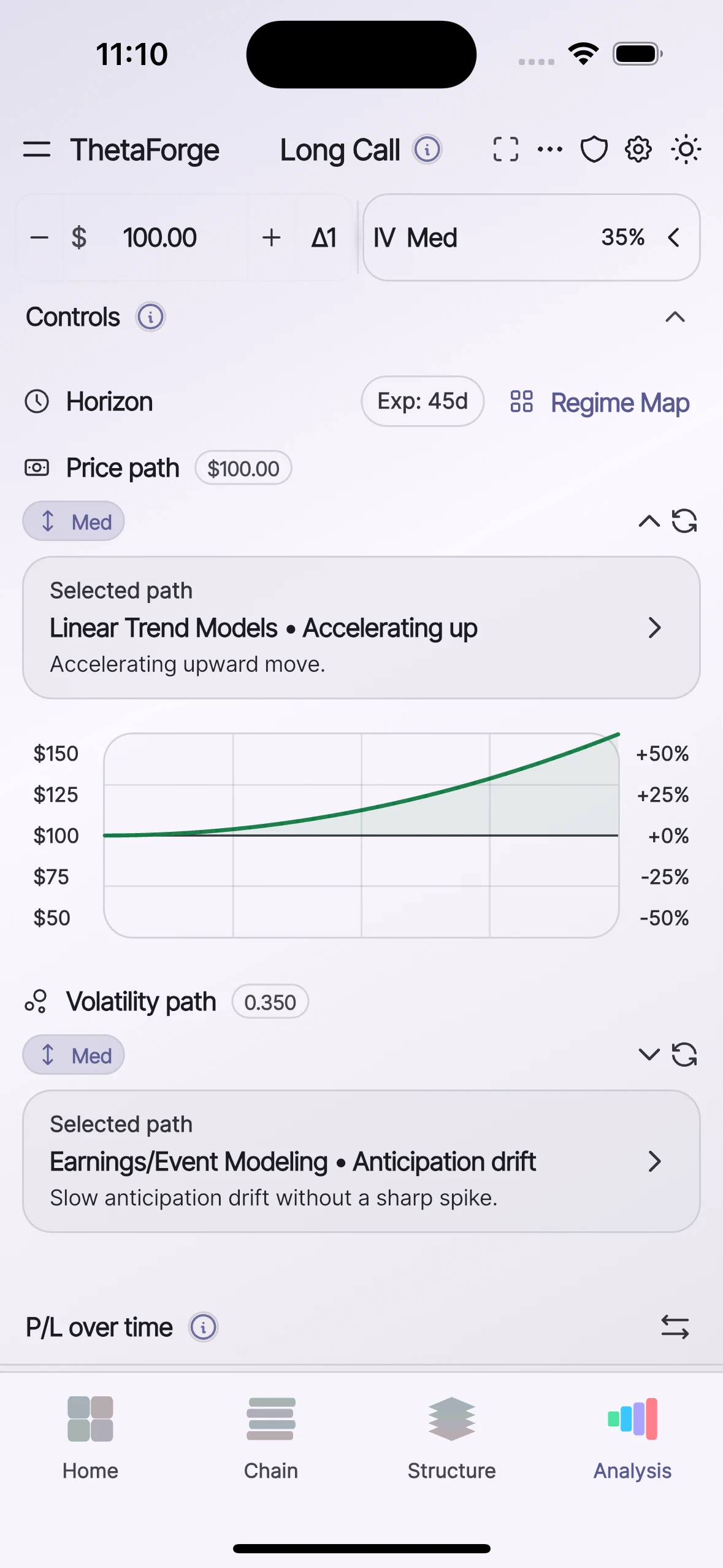
Project theoretical P/L behavior through time and compare scenario-path outcomes.
Core capabilities
This section scrolls horizontally. Swipe or scroll to review each capability card.
Build
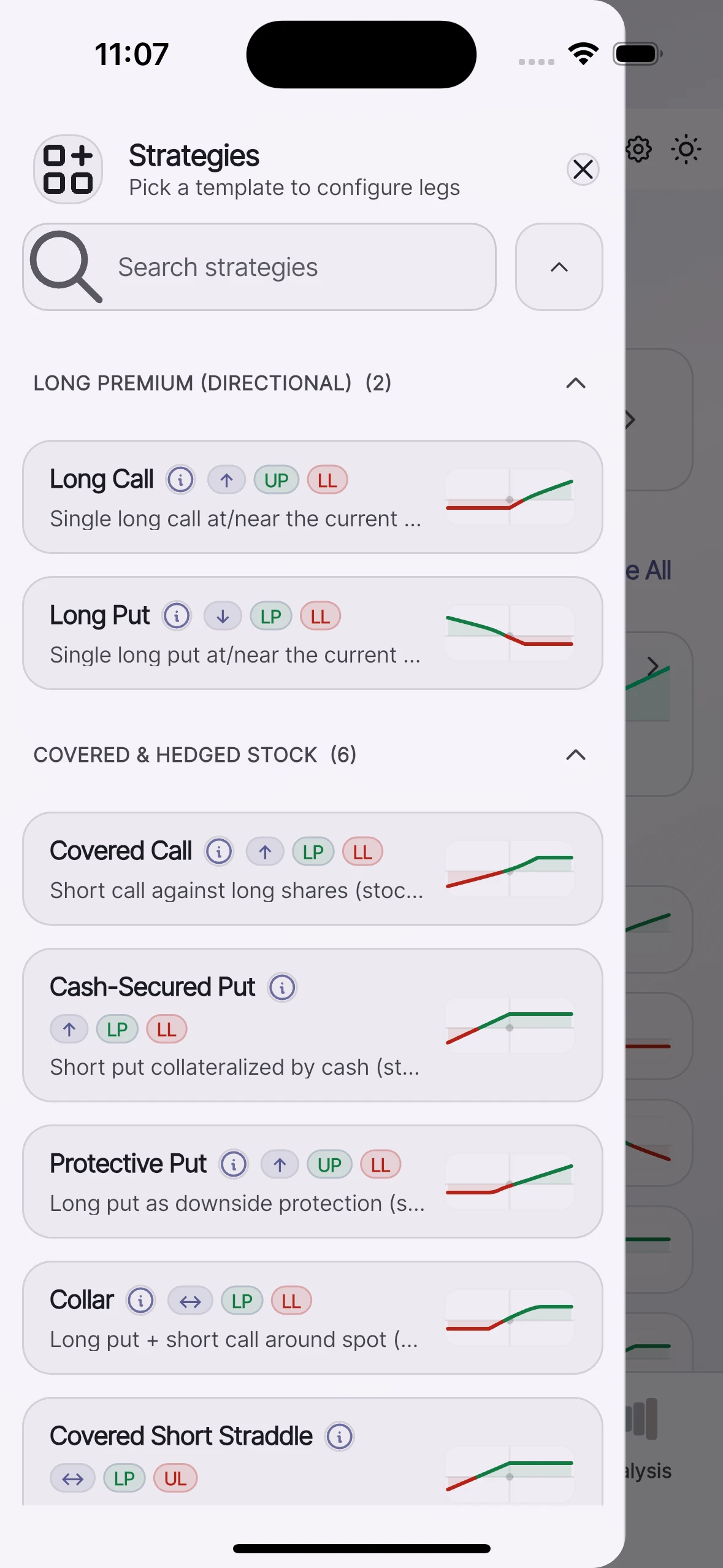
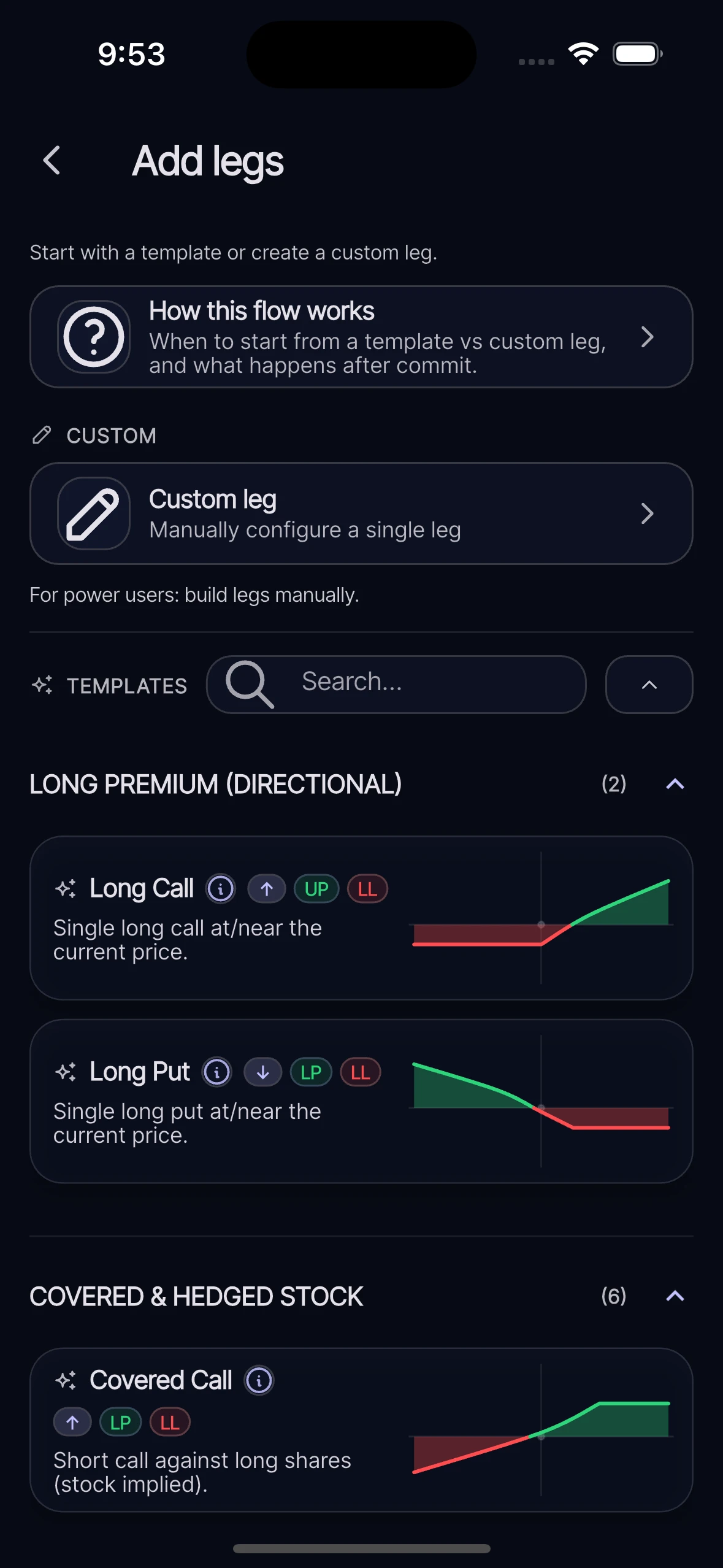
Start from supported strategy families or custom legs, then carry the structure into deeper analysis.
Learn
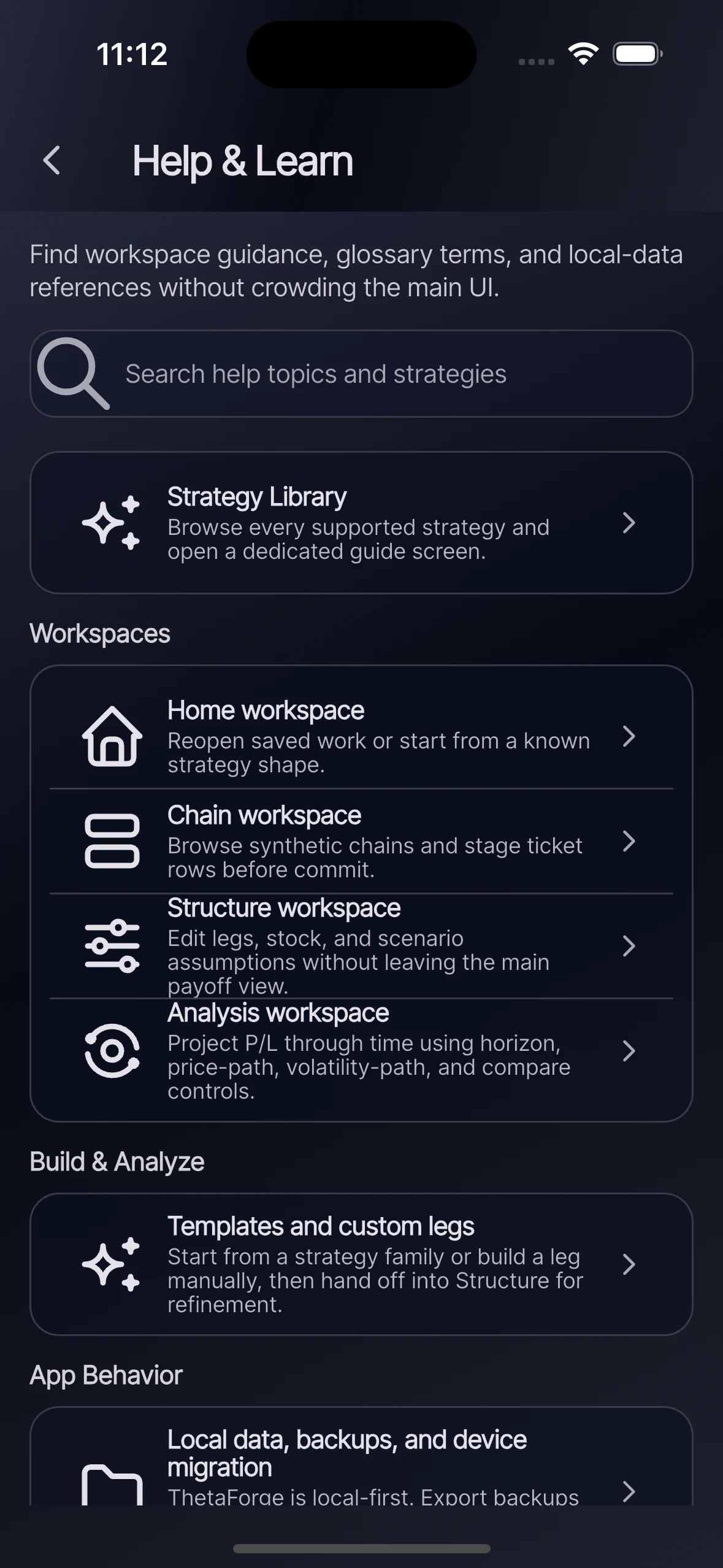
Search strategy references, glossary terms, and guidance screens without crowding the core workspace.
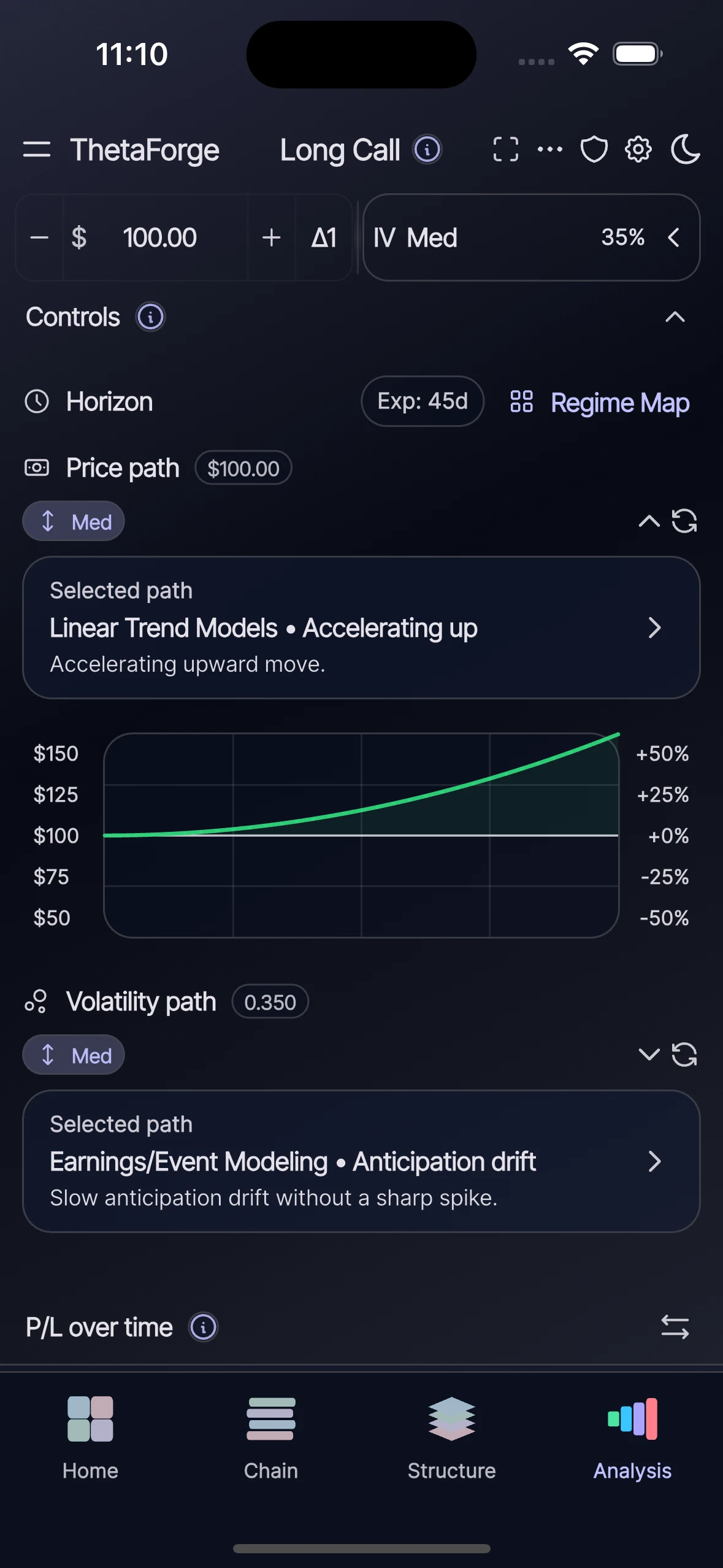
Model
Model horizon, price path, and volatility path assumptions to inspect theoretical behavior under different regimes.
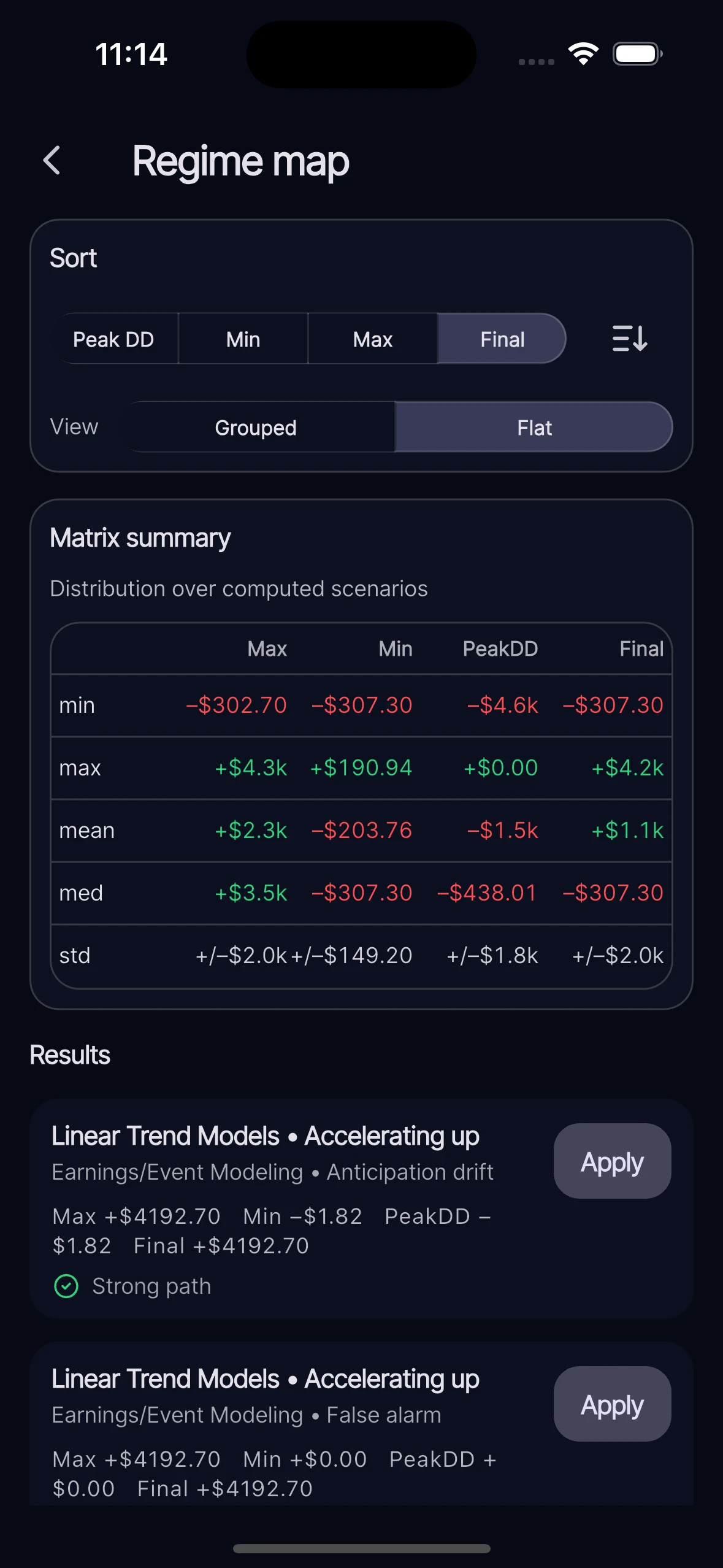
Compare
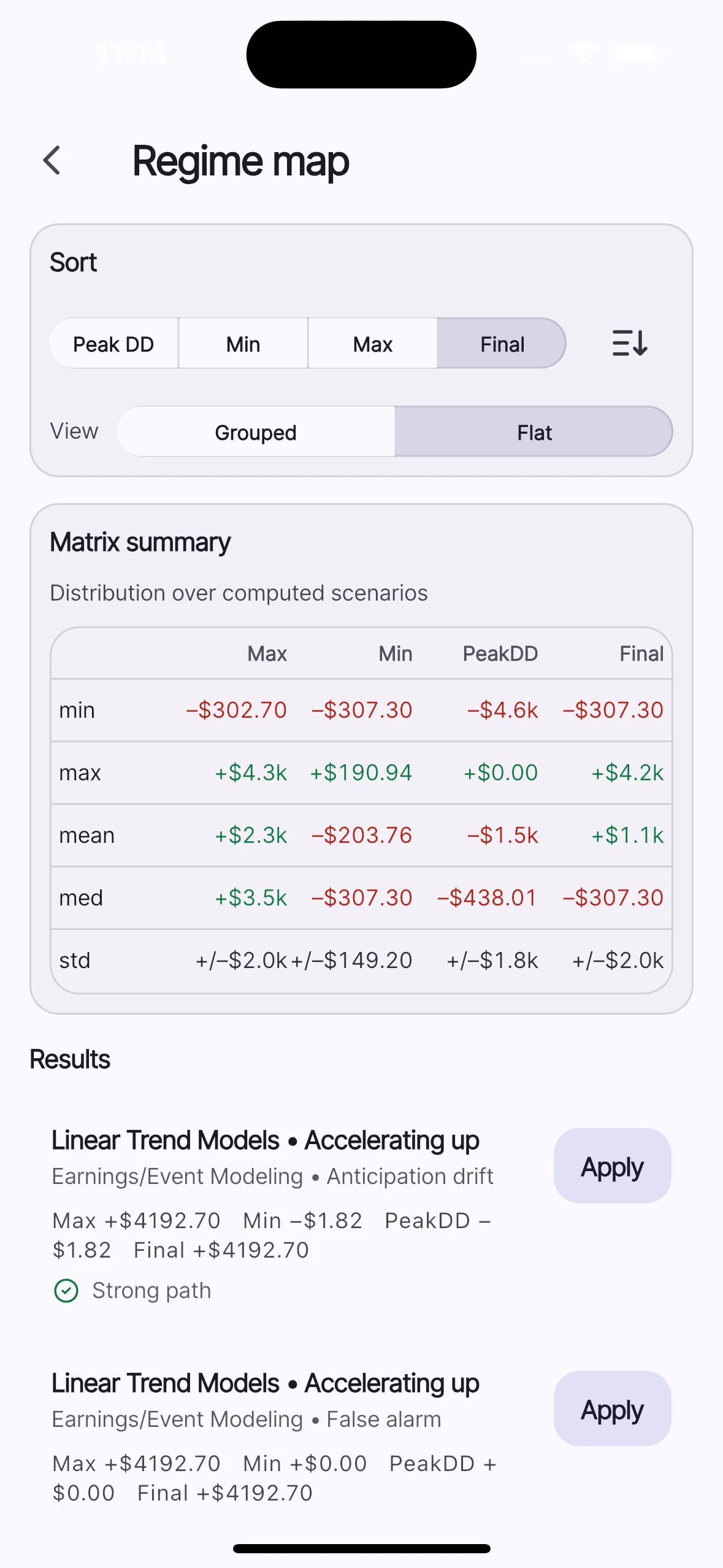
Sort and compare scenario outputs with matrix summaries to inspect dispersion and path sensitivity.
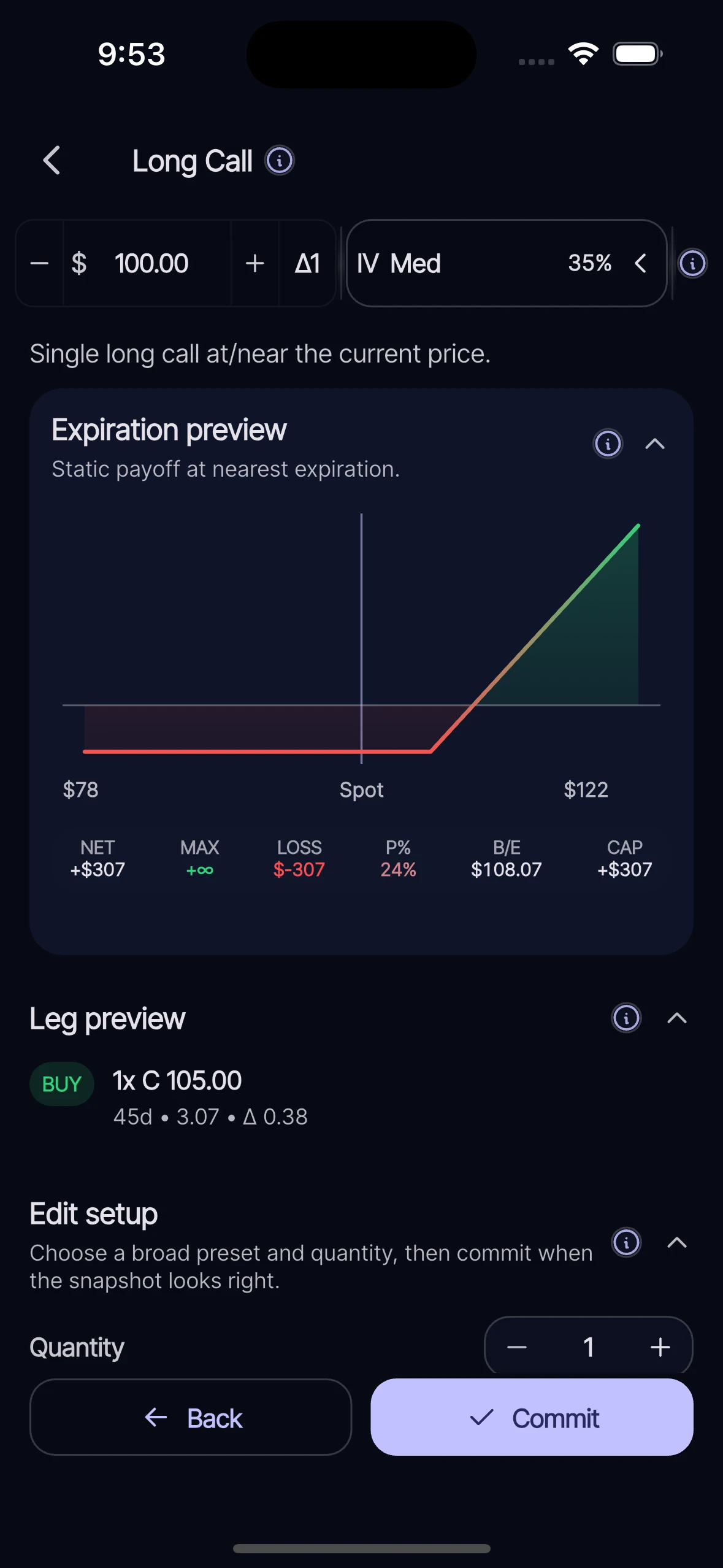
Configure
Inspect leg-level configuration details before carrying a structure into payoff and scenario analysis.
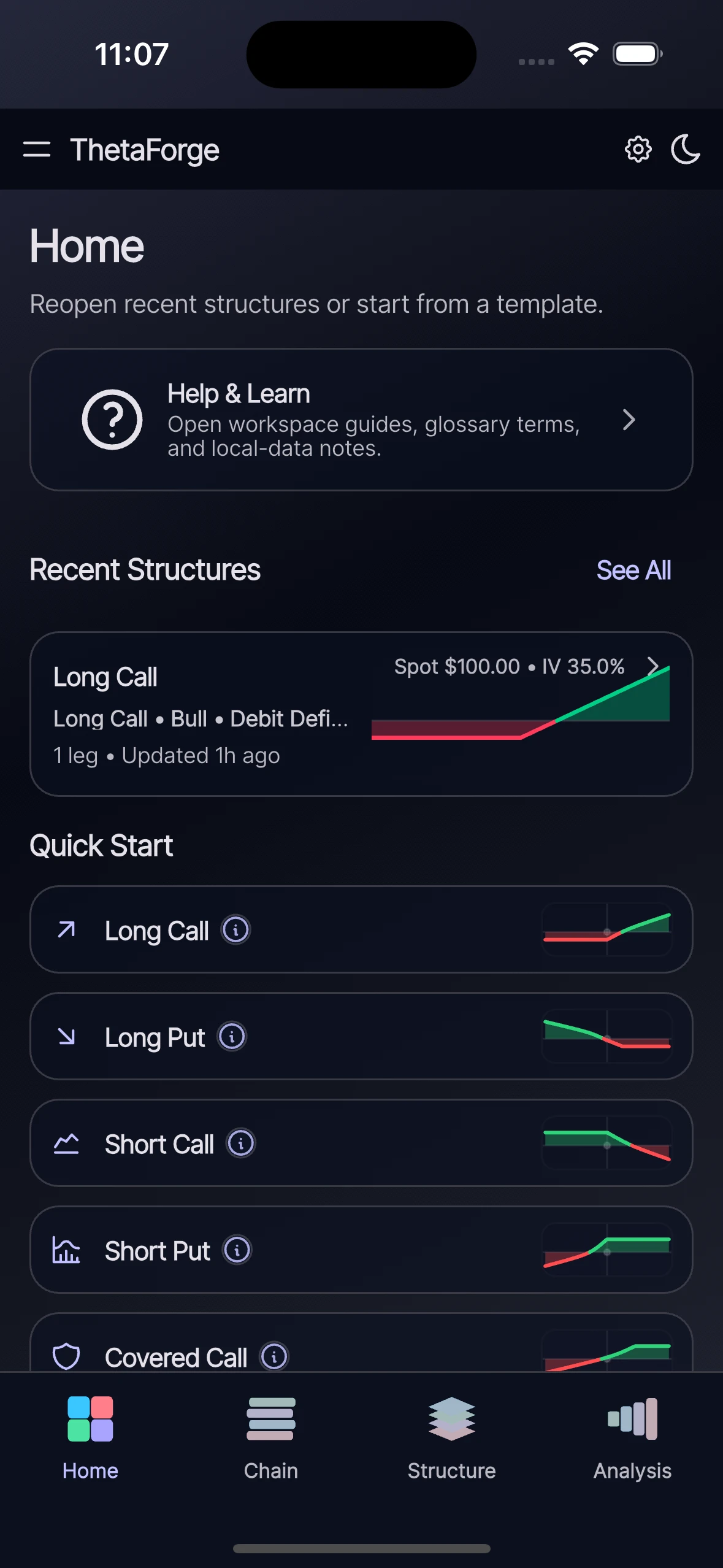
Navigate
Keep orientation clear with direct workspace transitions across Home, Chain, Structure, and Analysis.
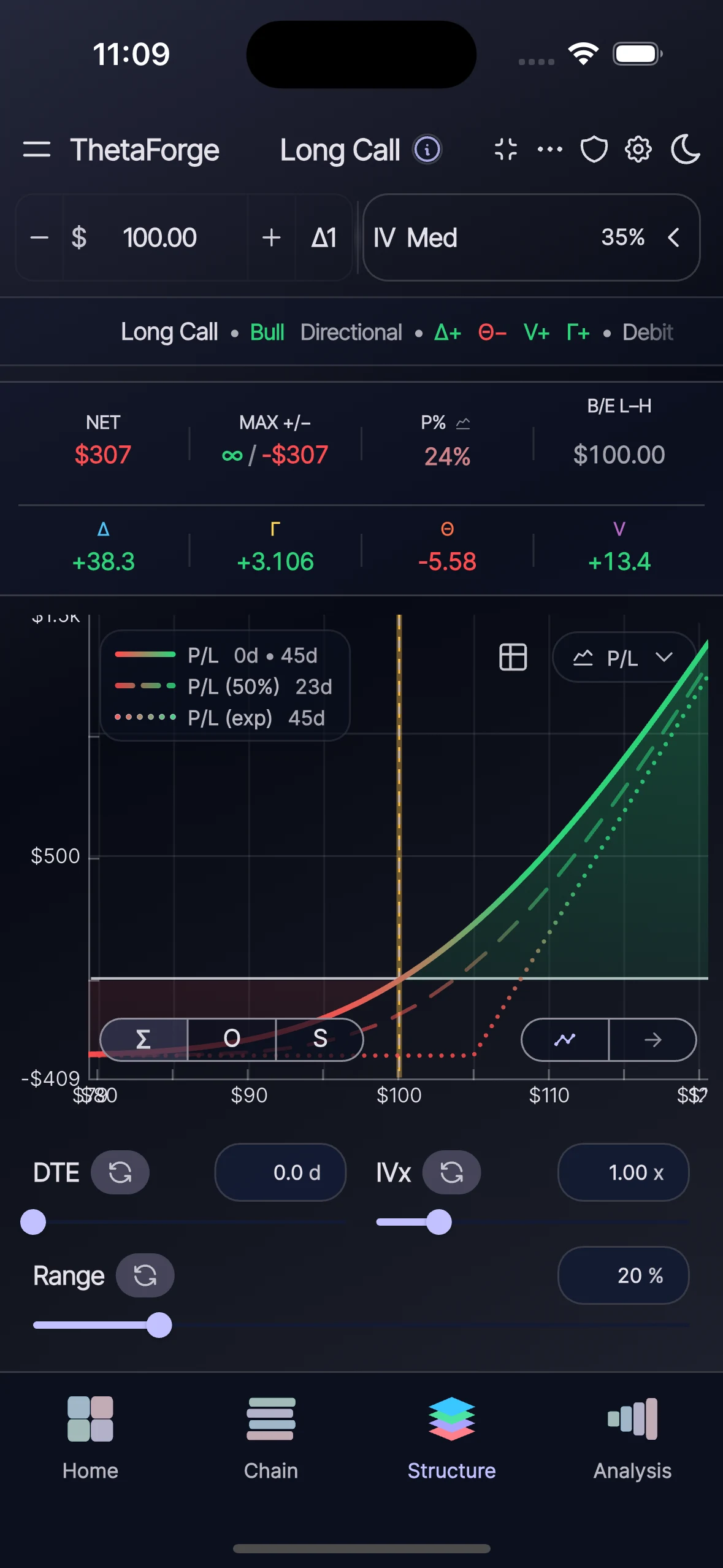
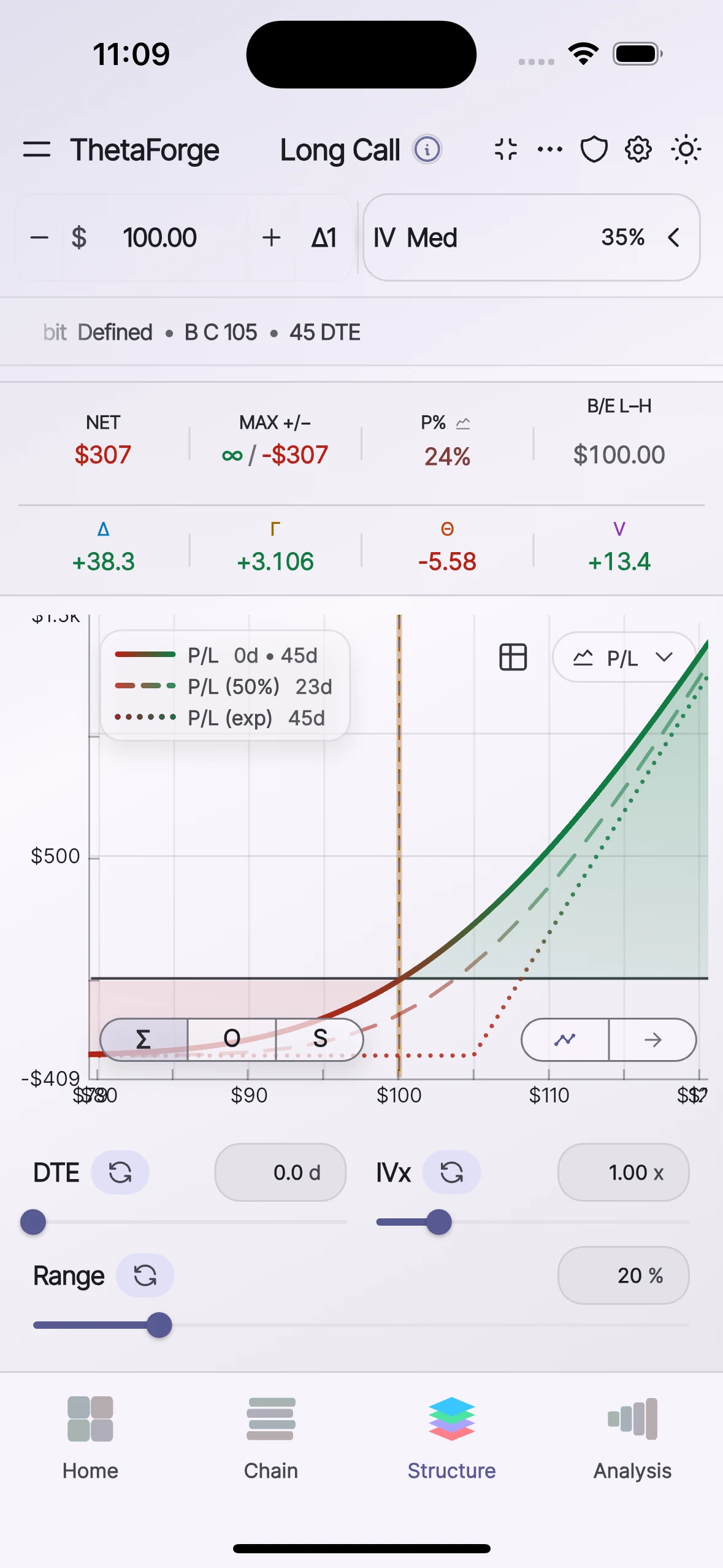
Light & dark mode
ThetaForge keeps the workspace readable across light and dark appearances, so payoff shapes, assumptions, and scenario context stay easy to inspect.
Appearance
A focused, low-glare workspace for deep modeling sessions.
Appearance
A crisp, high-contrast view for daylight review and documentation.
Educational framing
ThetaForge helps you inspect assumptions, compare theoretical outcomes, and stress test behavior before committing capital. It does not execute orders, provide personalized recommendations, or act as an adviser.
Mobile availability
Open the live store listing for your device.